- Enable a custom app from your Shopify owner’s account.
- To do so, log in to your Shopify Store as the store owner.
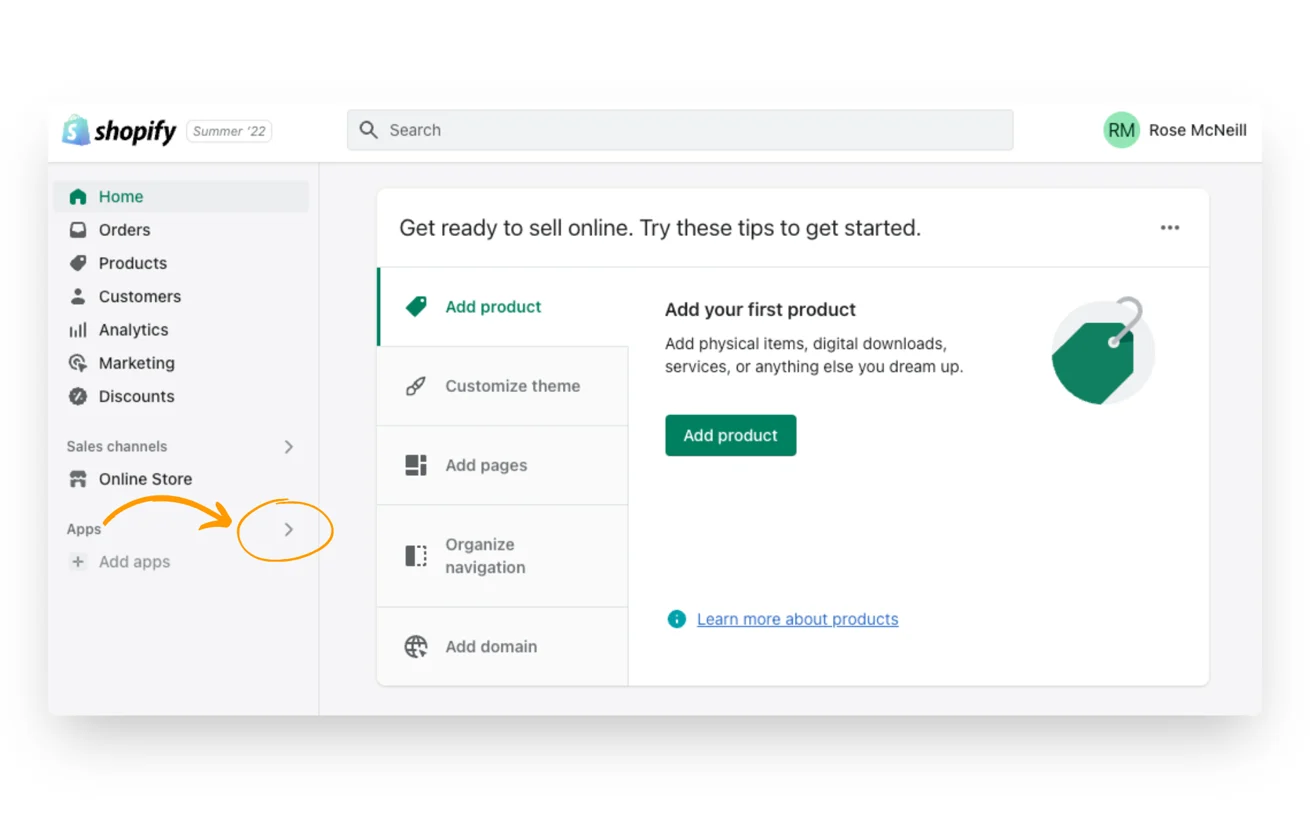
- Click on 'Apps' in the admin section on the left sidebar.
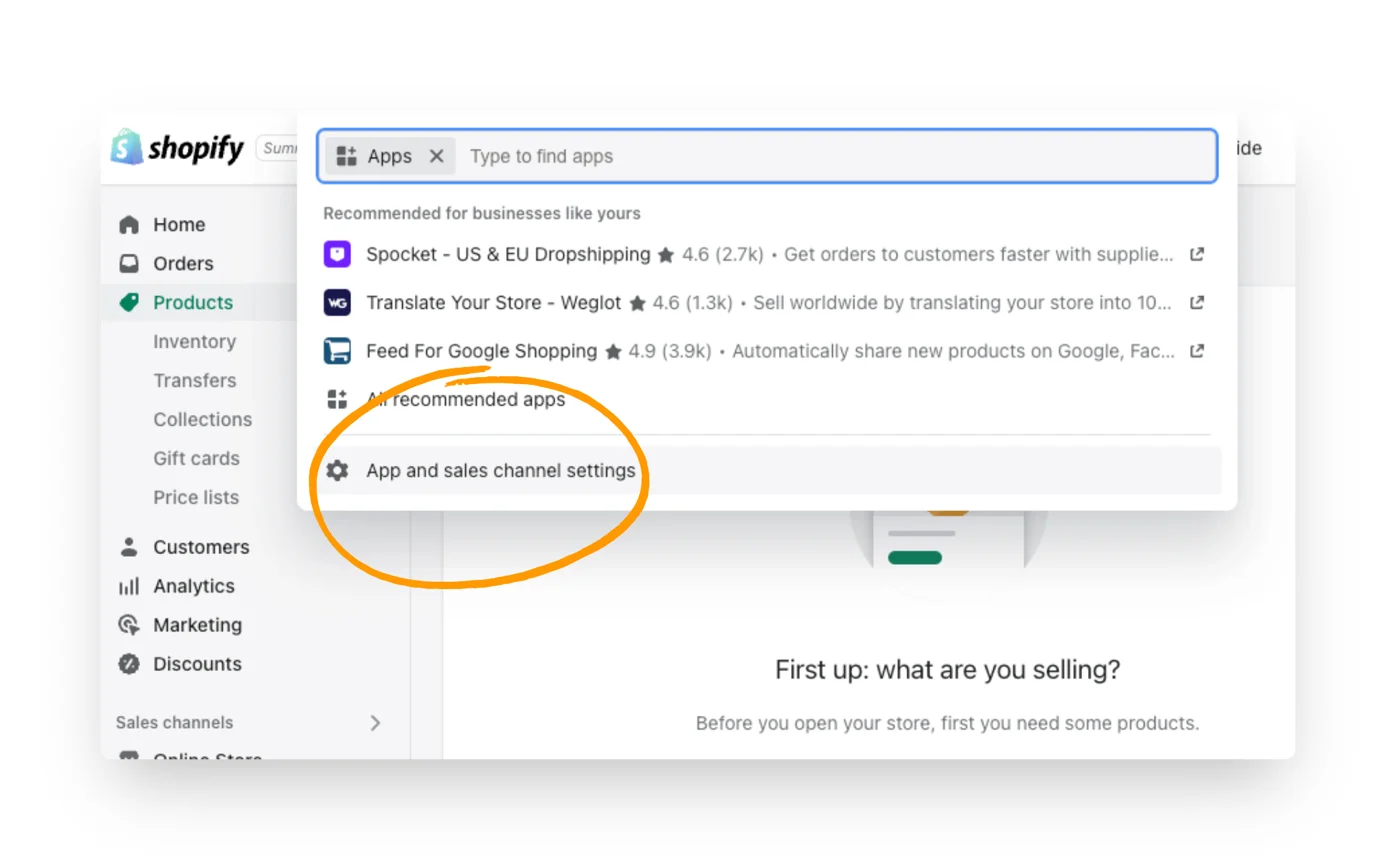
- A dropdown menu will appear. Click on 'Apps and sales channels settings'.
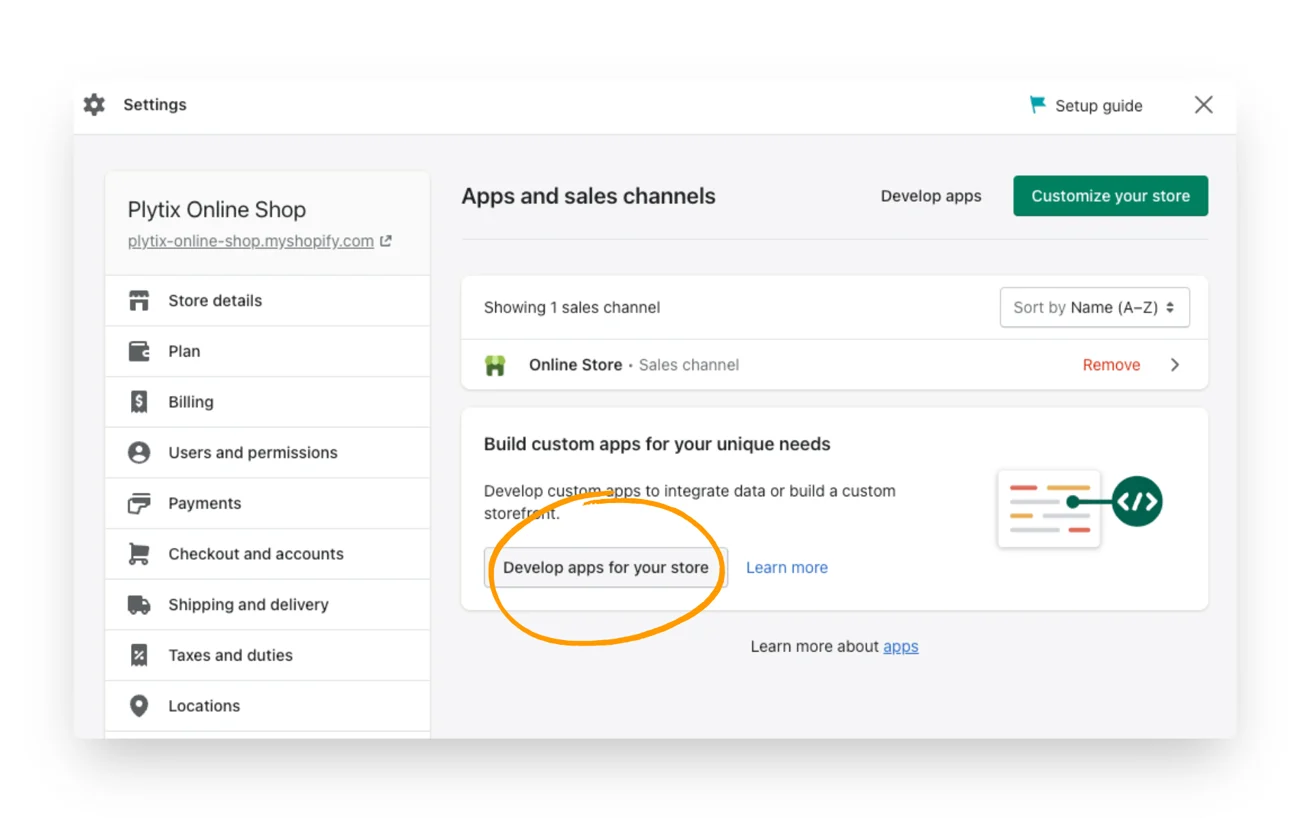
- In the next window that appears click on 'Develop apps for your store'.
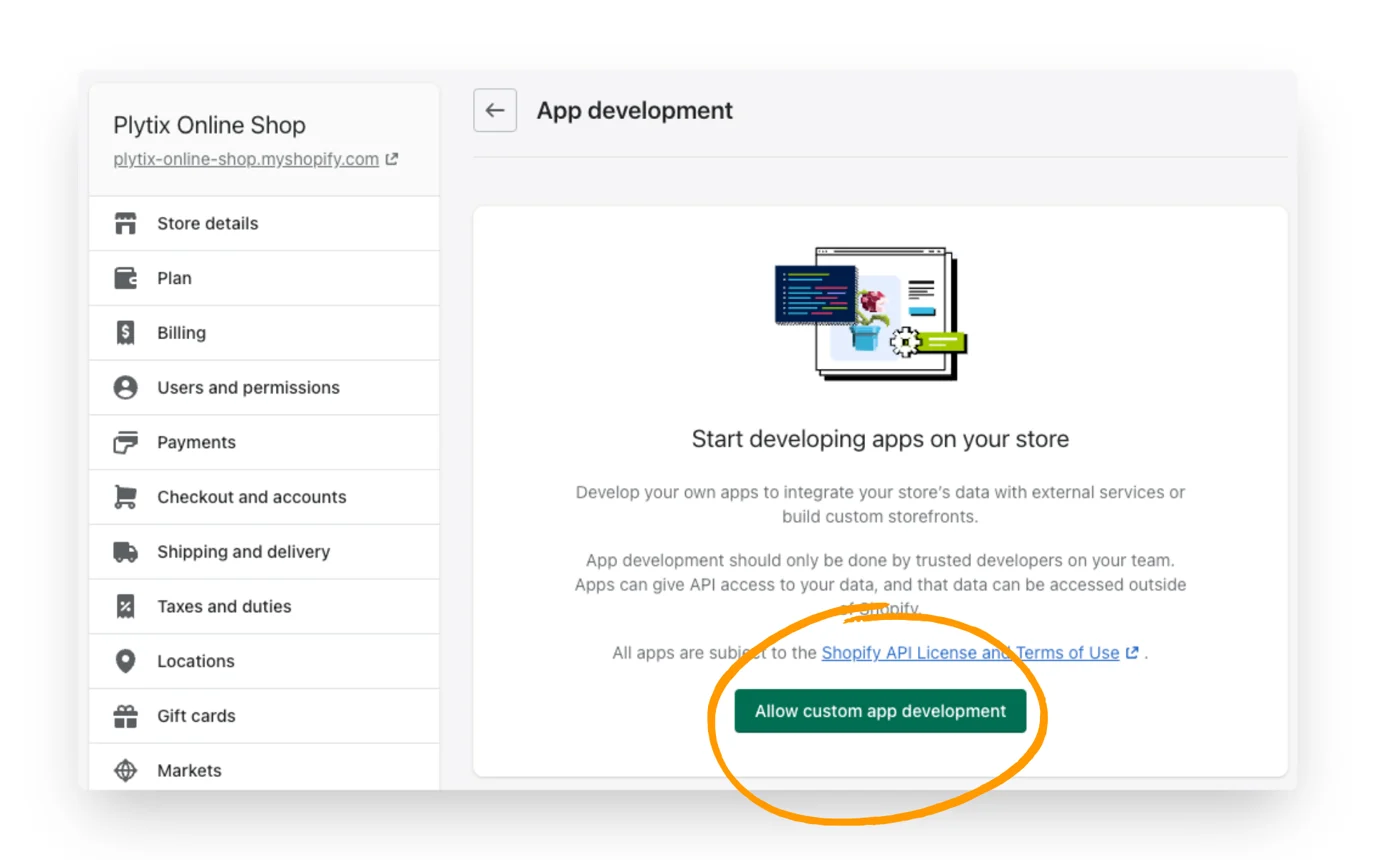
- Click to 'Allow Custom App Development'.
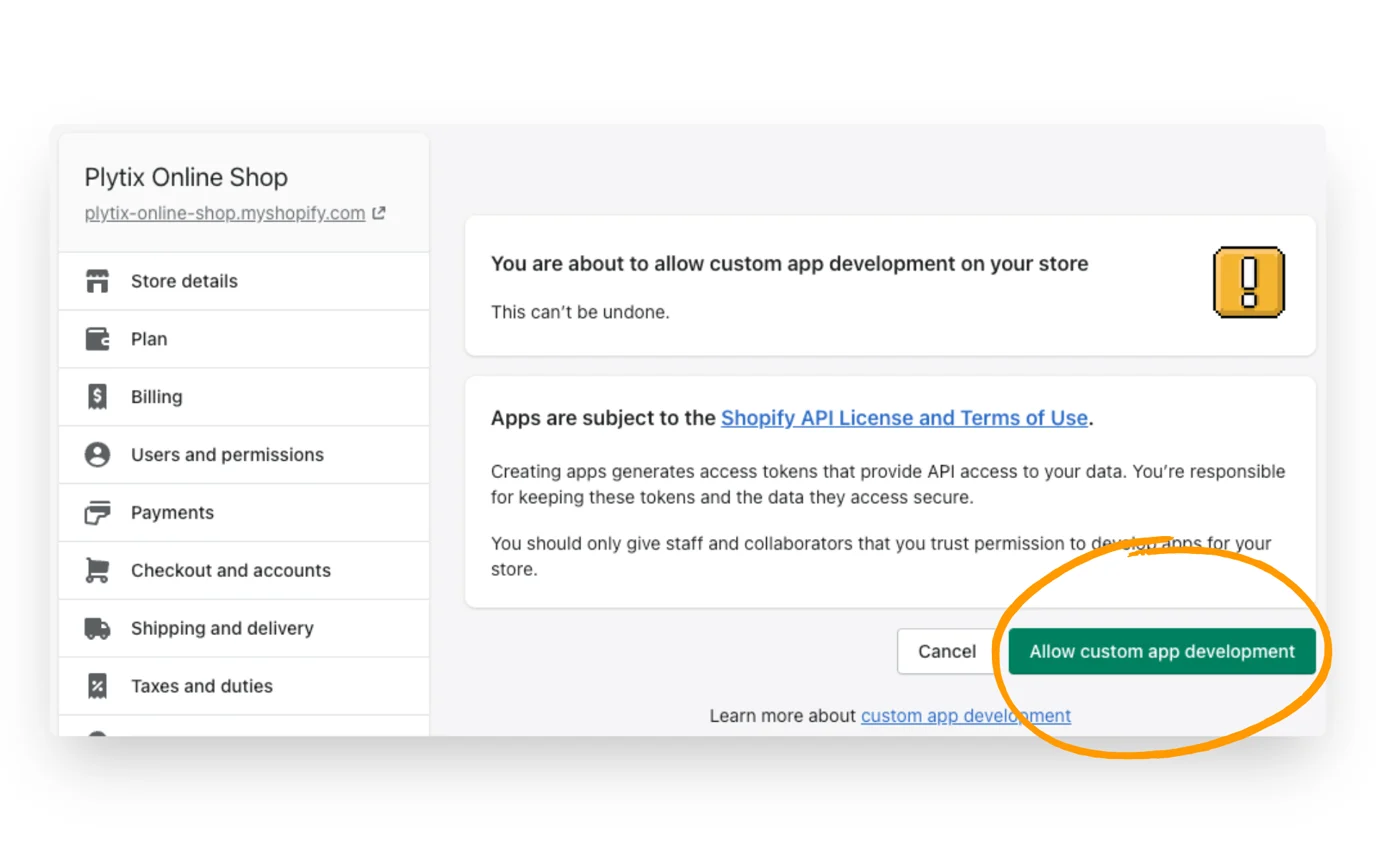
- In the next window, read the warning and information provided and click 'Allow Custom App Development' again.
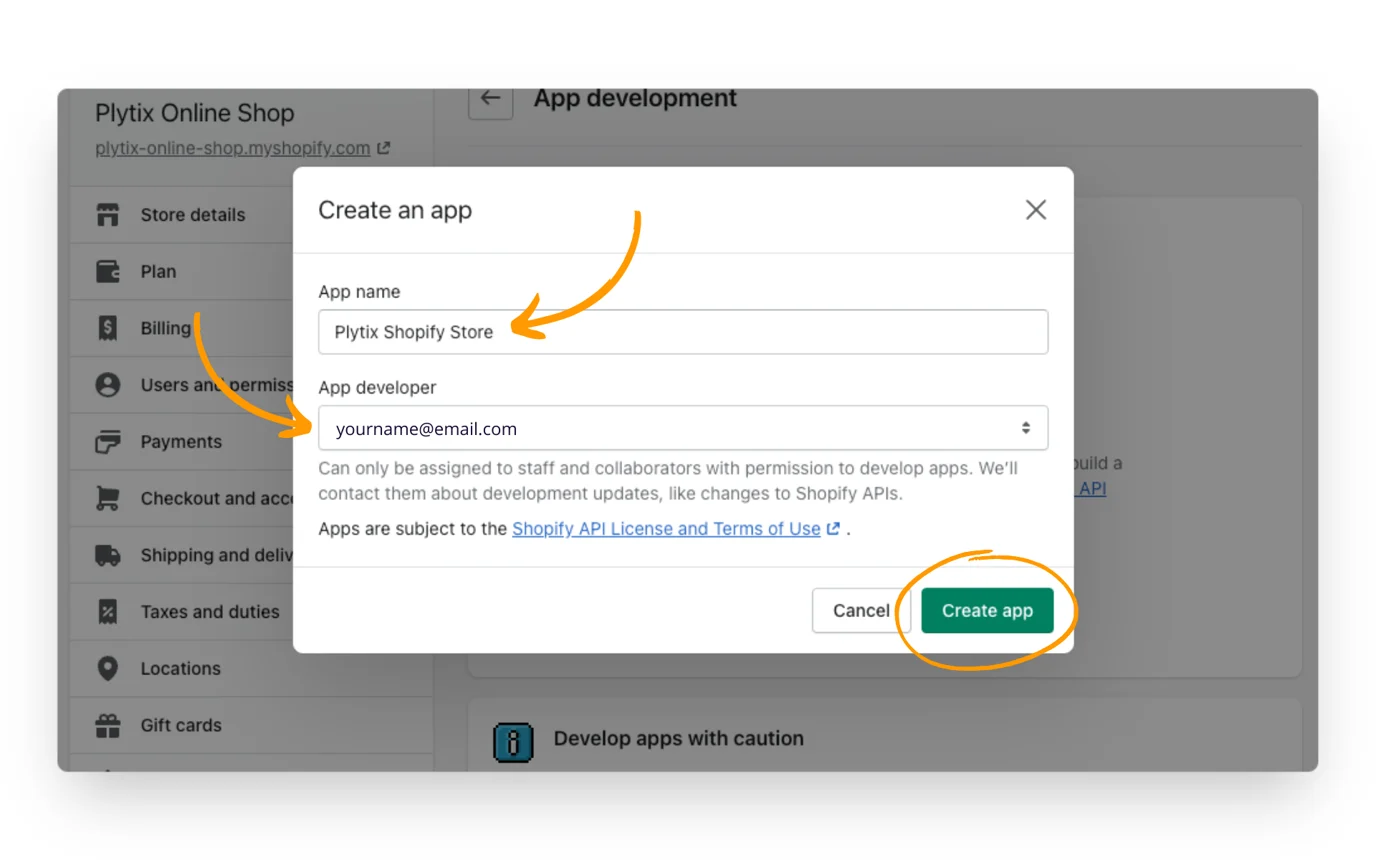
- After you've allowed the custom app development, you can select 'Create an app'.
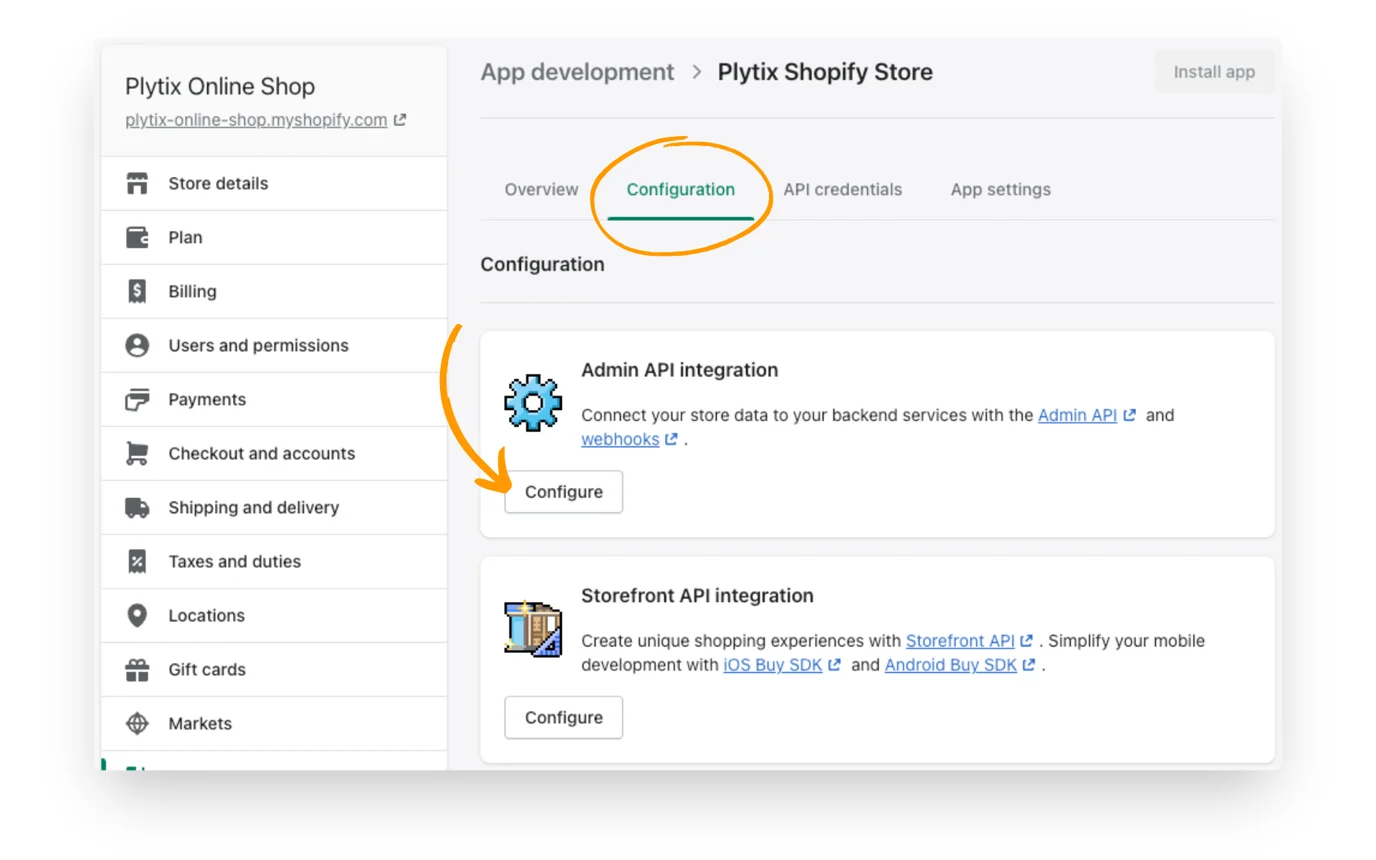
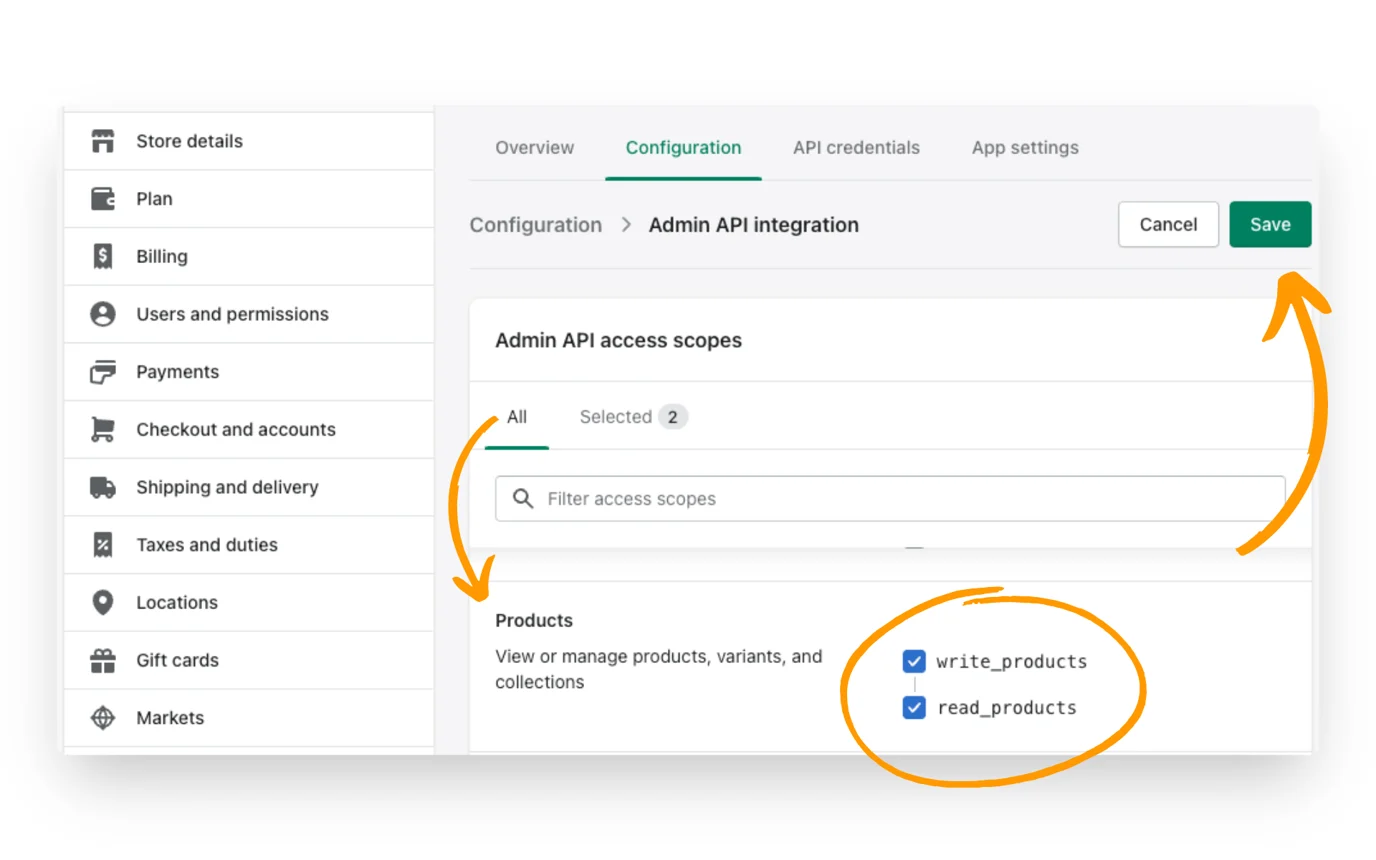
- Once you've created an app, navigate to the 'Configuration' tab and select 'Configure' in the "Admin API Integration" section.
- Under "Admin API access scopes" you'll see many categories. Scroll down until you reach "Products." Here, you'll click to tick the all boxes, then click the 'Save' button.
- Generate an API Access Token from the Shopify admin.
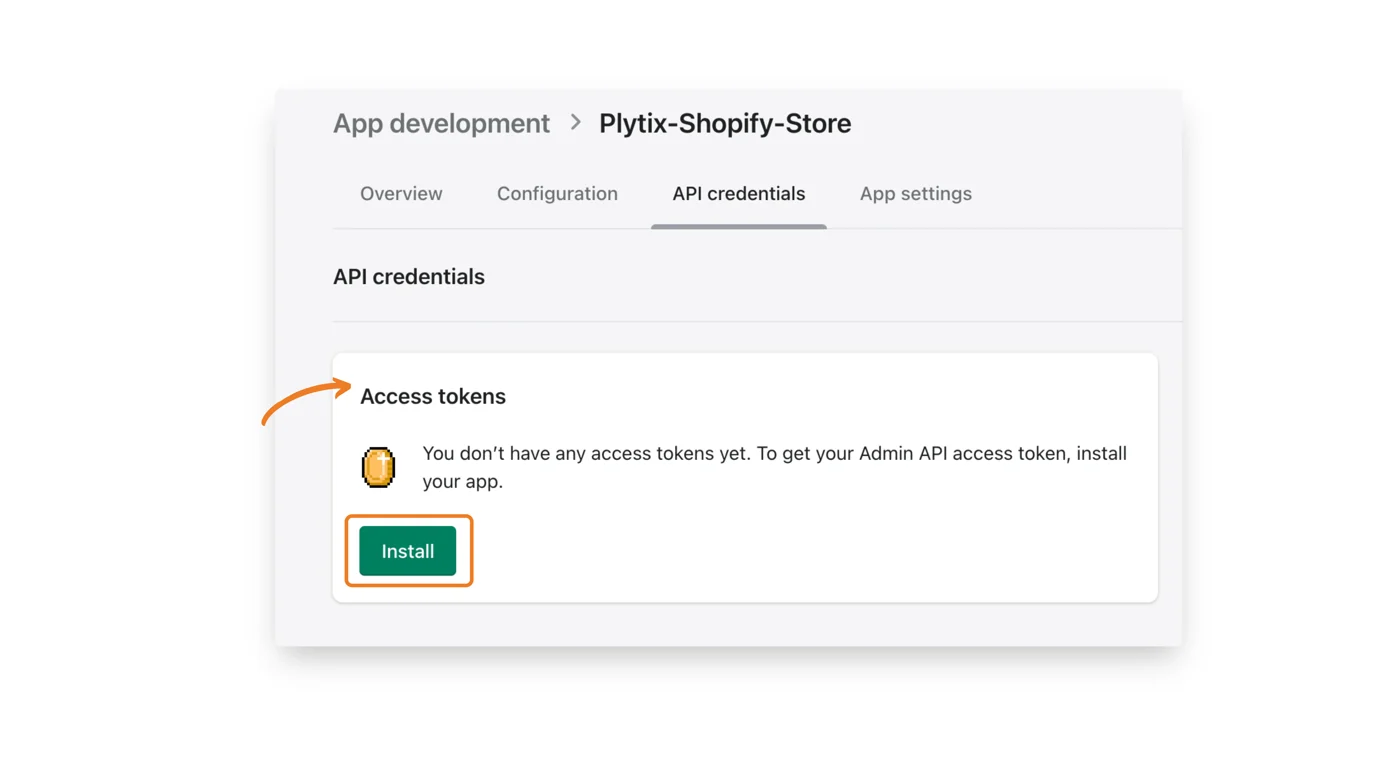
- Head to the tab 'API Credentials'.
- Click on 'Install' in the "Access tokens" box.
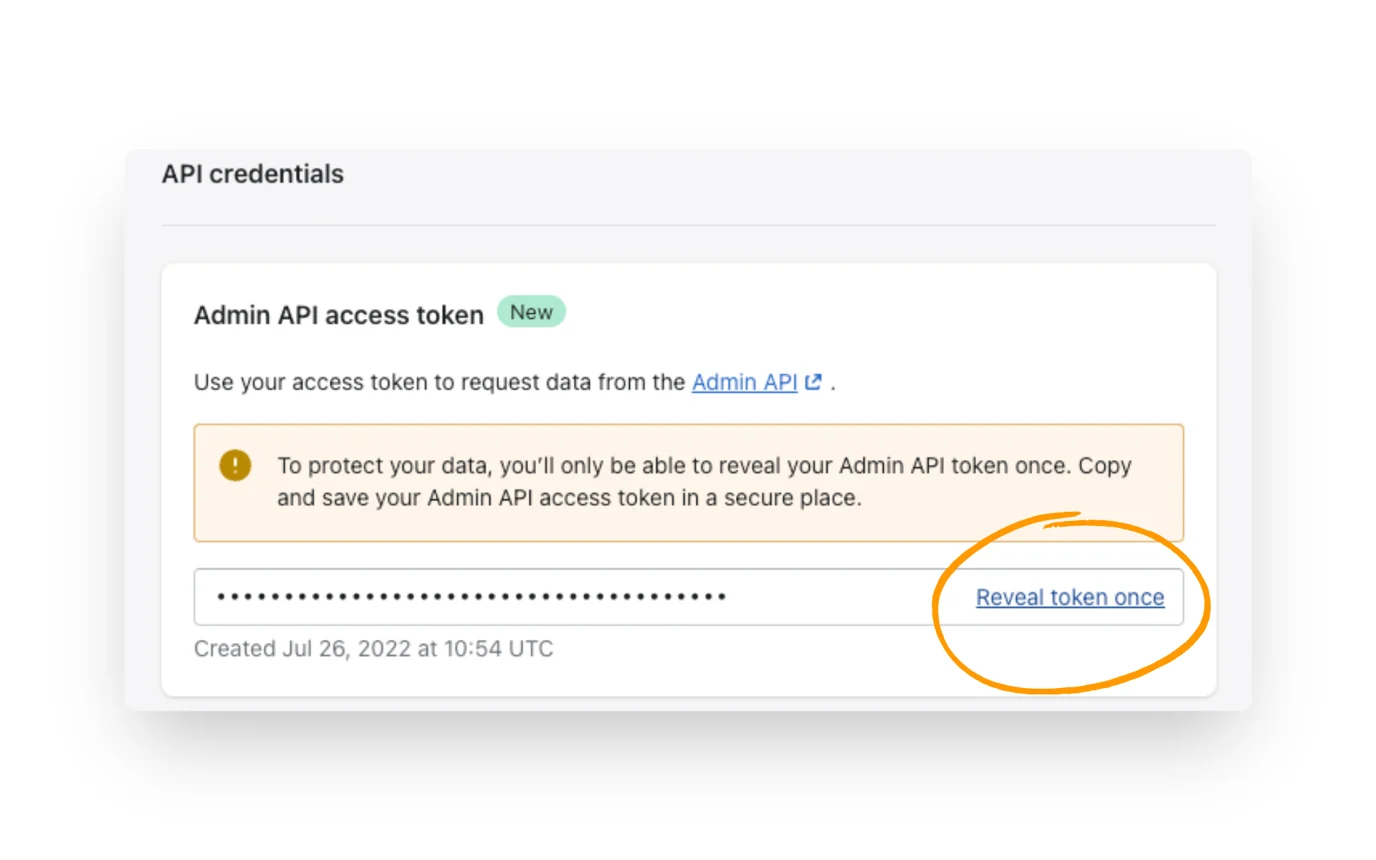
- Now you will see your Admin API Access Token has been generated. Click on 'Reveal token once' and you will see the token.